Monday, 10 September 2012

DATA SETS Step by Step IN ODI 11g


odi-15050 flow control not possible if no key is declared in your target datastore

odi-15050 flow control not possible if no key is declared in your target datastore


Solution:
----------

In your interface target table don't have Primary Key or Unique Key.

Two ways we can resolve this issue.

1) Goto=> Interface=>QuickEdit=>Mappings

select one any id (ex: EMPNO) UK.


2)

Goto =>Models=UR Model(TARGET_SQL_MODEL)=>EMP(table)=>Constraints=>

Right click =>New Key=>Select Primary Key=>Got To =>Columns=>Move EMPNO to right side.


Sunday, 9 September 2012

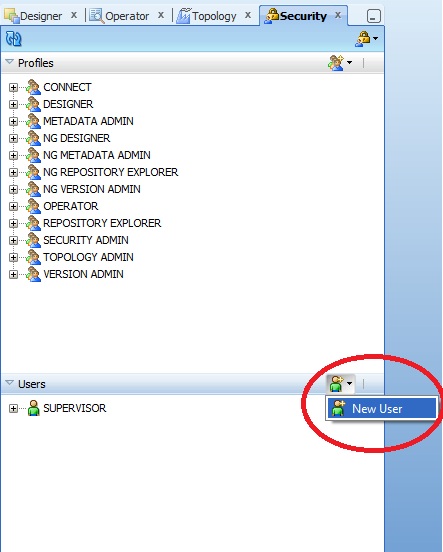
step by step giving Security through profiles and object wise providing


ODI-1551: The dbms_lock acquisition failed with a sql exception 'ORA-06550:

ODI-1551: The dbms_lock acquisition failed with a sql exception 'ORA-06550: line 1, column 7:
PLS-00201: identifier 'DBMS_LOCK' must be declared.

This issue you will get while running load plans.

Solution:
-----------
Grant  execute privileges on dbms_lock to ur schema( DB user for your work repository).


ex:

my schema name is :  ODI. (My Work Repository db user)


GRANT EXECUTE ON DBMS_LOCK  TO ODI;


ODI-1227 : Invalid Fetch Size while loading data from microsoft xls to oracle

ODI-1227: Task SrcSet0 (Loading) fails on the source MICROSOFT_EXCEL connection ODI_EXCEL.
Caused By: java.sql.SQLException: Invalid Fetch Size

 This is 11g bug.

so u can download the patch from oracle support (p12798243_111150_Generic)or

Follow the below solution.

 Solution:
-----------------

Goto => Physical Architecture =>Technologies=> Microsoft Excel=>Data Server

ex: i have created MOCROSOFT_EXCEL data server

open data server and change the Arry Fetech Size to zero (0).


How to find the all the task wise status after running your interface?

How to find the all the task wise status after running your interface?

OR

What are the tasks status available in sessions logs.?


------------------------------------------------------------------------------------

Using SNP_SESS_TASK table we can find the all the tasks status.

'D' - done

'E' - error
'M' - warning
'R' - running
'W' - waiting

How to find the no of records processed after running your interface?

How to find the no of records processed after running your interface?
------------------------------------------------------------------------------------

Using SNP_SESS_TASK_LOG table we can find the no of records processed.
TASK_DUR - Total duration
NB_ROW - number of processed records
NB_INS - number of insertion
NB_UPD - number of updates
NB_DEL - number of deletions
NB_ERR - number of error-out records.